
What do we need to do next?
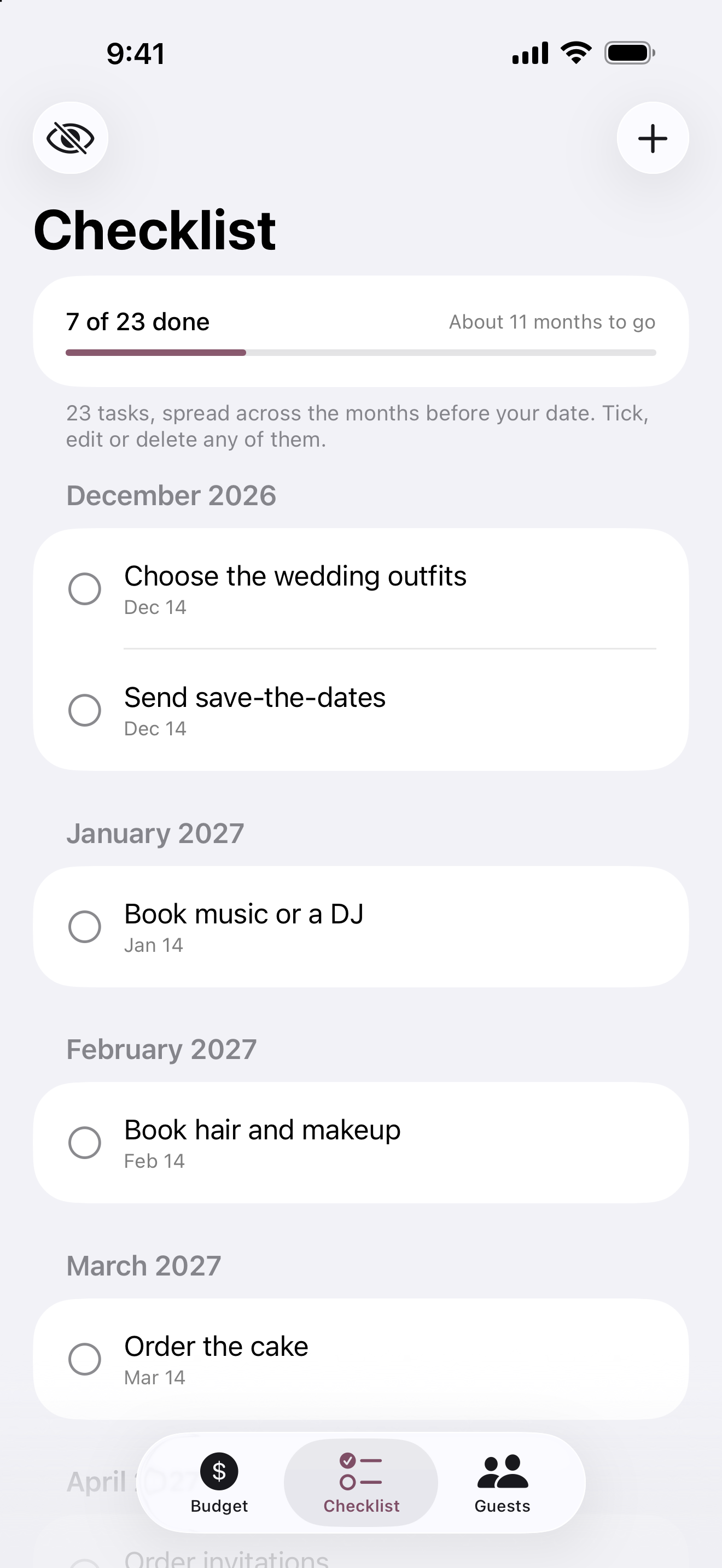
The date-based checklist keeps planning moving and shows your progress without making you build the list from scratch.
A simple wedding planner for iPhone
Wedding Planner Lite is a simple wedding planning app that turns a few answers into a date-based checklist and gives you one calm place to keep track of your wedding.
No account. No subscription. Your planning stays on your iPhone.
A calmer place to start
Answer a few short questions about your wedding. Wedding Planner Lite gives you a starting checklist, a place for the details, and a clear view of what needs attention next.
See the product
Three tabs keep the important parts together without turning your wedding into a project-management job.
The three things you want to know
The date-based checklist keeps planning moving and shows your progress without making you build the list from scratch.
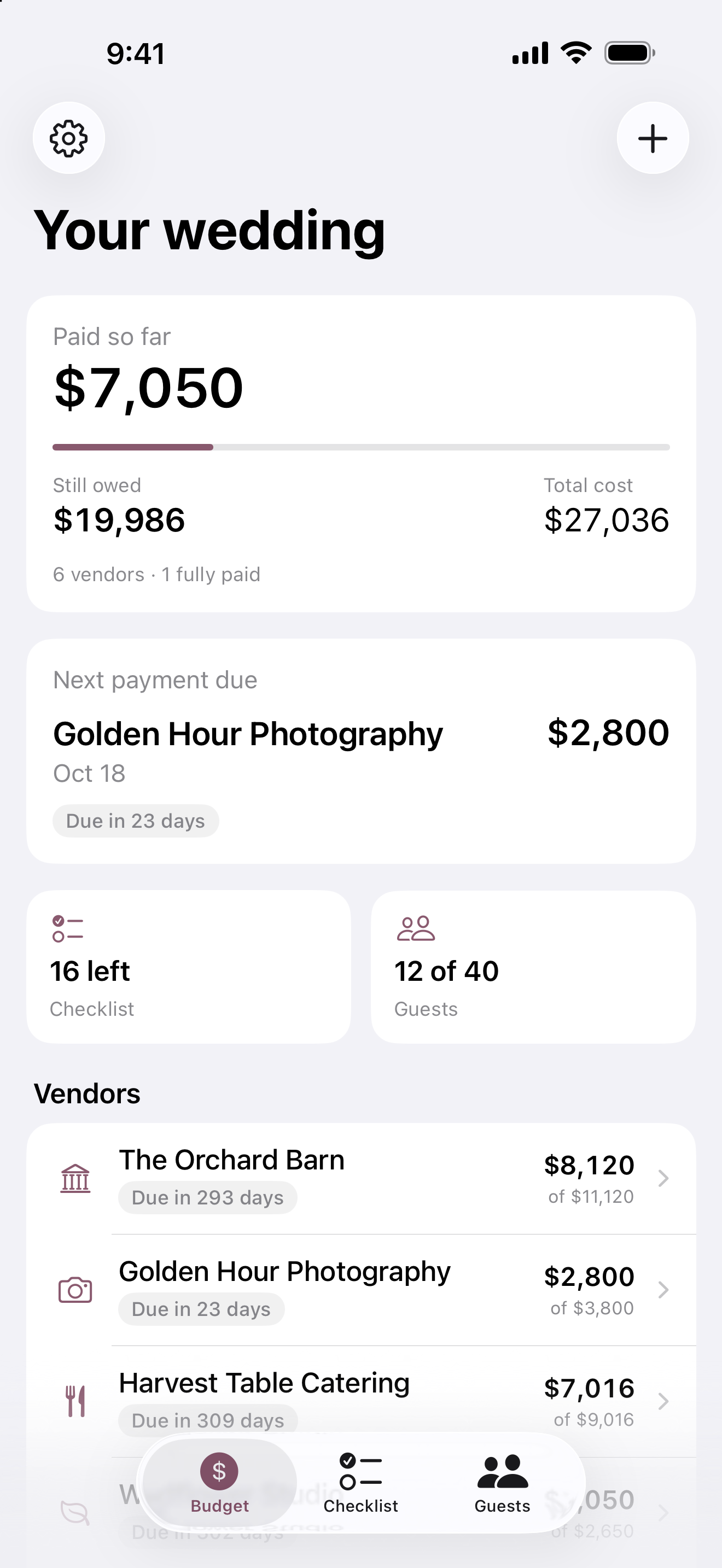
Keep vendor deposits, balances, due dates, and reminders together. Add your own items as the plan grows.
See invited, confirmed, declined, and still waiting at a glance when it is time to answer the caterer.
How it works
Choose your date, the parts of the wedding you need, and what you have already booked.
Your checklist is ready, organized around the months before your wedding.
Use Budget, Checklist, and Guests as decisions are made and replies come in.
Ready when you are
Free planner + Lifetime Premium
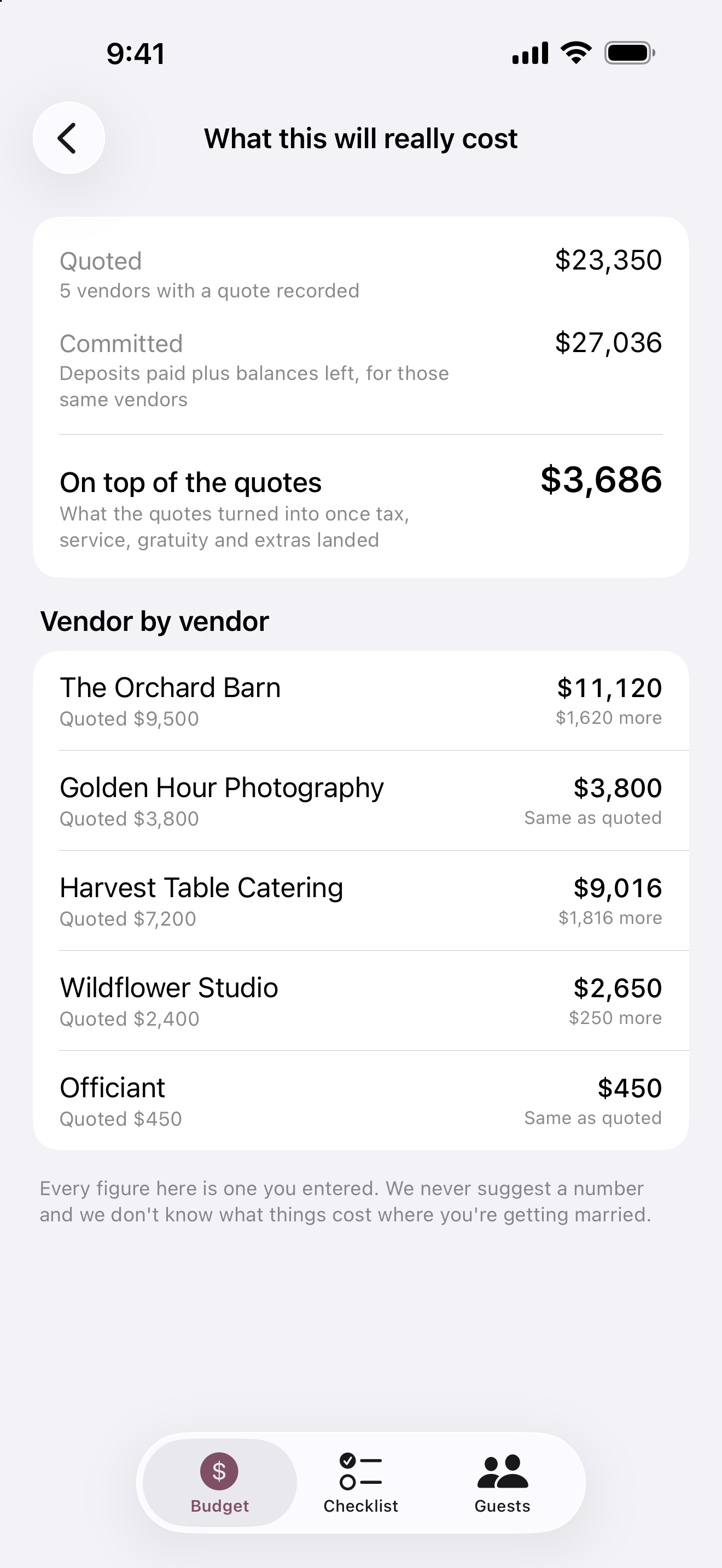
The planner stays useful without a subscription. Lifetime Premium adds the four money views that help you understand what this wedding will really cost.
One optional purchase, paid once. The price is shown in the app in your own currency. Nothing renews.
Private by design
Your planning data stays on your iPhone. There is no account, bank connection, or vendor marketplace behind the app.
Read the privacy policyNo account or sign-in
No bank connection
Works without a connection
No ads or paid vendor placement
iPhone, iOS 18 or later
Questions
No. The app asks a few short questions about your wedding. There is no sign-up, sign-in, or password.
No. The planner is free, and Lifetime Premium is one optional purchase paid once. Nothing renews or expires.
No. You type in what you paid and what you still owe. The app has no bank connection or card link.
Yes, for planning. Your data does not need a connection. The app goes online only for Premium purchases and anonymous purchase records.
No. The app stores everything on the iPhone you use. If you restore an iPhone backup onto a new phone, the app data comes across with that backup.
The app is for iPhone and requires iOS 18 or later.
A calmer first step
Know what to do next, keep the details together, and feel more in control as the day gets closer.